Take your tech knowledge dose and stay on top of everything tech related. From the history of robots to the main functions of the internet.

Always-on Ethernet Port Light: Meaning?

Always-on Ethernet Port Light: Meaning? (+ Vital Facts)

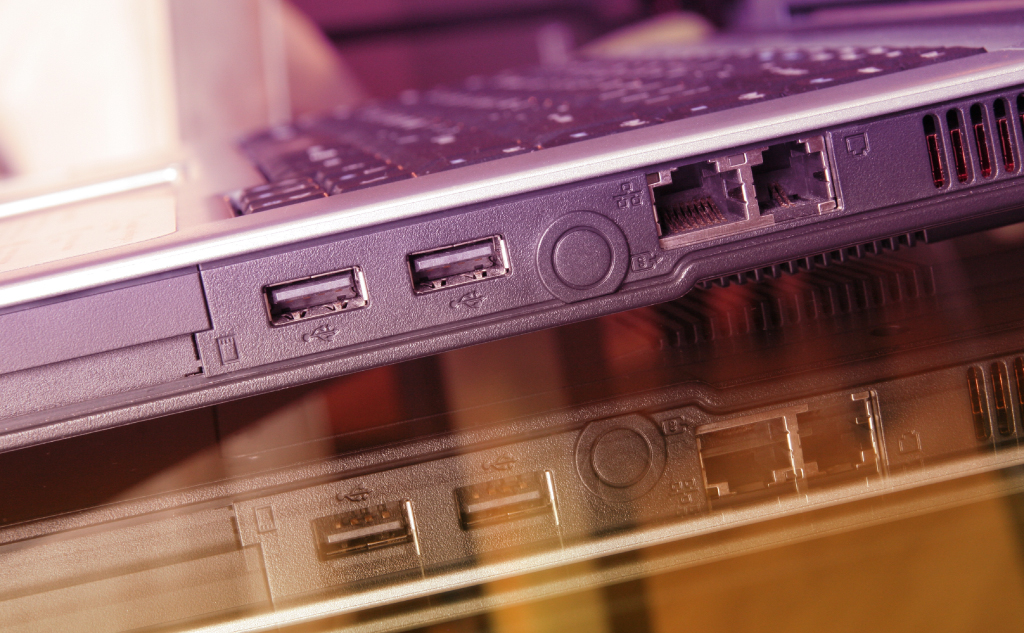
The always-on Ethernet port indicator light tells you that the connection between the two Ethernet ports is functional. The light is designed to let you know that your Ethernet connection is established without performing additional tasks. The light can come in different colors, depending on the manufacturer.

Using Phone While Charging: Bad?

Use Phone While Charging: Bad? (+ Interesting Facts)

You can use your phone while it is charging, and it won’t hurt it. Recharging a battery reduces its lifespan, however. Modern devices use electronic controllers that stop charging the battery when it’s full, though. The current bypasses the battery and runs the computer directly.

Twitter Unsupported Phone Number: Meaning?

Twitter Unsupported Phone Number: Meaning? (All the Info)

You will receive this error when using a landline or mobile device that Twitter cannot text you a verification code. The provider of your mobile or landline phone does not allow Twitter to send you a verification code through SMS.

Calling, Double Ring or Extra Long Ring: Meaning?

Calling, Double Ring or Extra Long Ring: Meaning? (All Info)

Double ring: You have been placed in call waiting if the first ring is a double ring while you are the caller. Extra-long ring: Whenever you attempt to call out, your local switch takes over. The longer it takes to connect to the local switch, the longer the ringtone.

Android Factory Reset: Removes Android Updates?

Android Factory Reset: Removes Android Updates? (All the Info)

No, a factory reset will not remove your Android updates. A factory reset allows you to delete all your data and settings. It restores the device to its original state by erasing all the information stored on it. However, a factory reset doesn’t roll back any Android updates because it can’t.

Ethernet Port Light Colors: Meanings?

Ethernet Port Light Colors: Meanings? (Everything to Know)

Blinking Ethernet light means that the port is transmitting information. Solid light means a connection between the devices. No light means that there is no current connection. Depending on the manufacturer, each light can have a different meaning and color like green, orange, yellow, and red.

Vape Mod Parts: Names & Functions?

Vape Mod Parts: Names & Functions? (& Graphic)

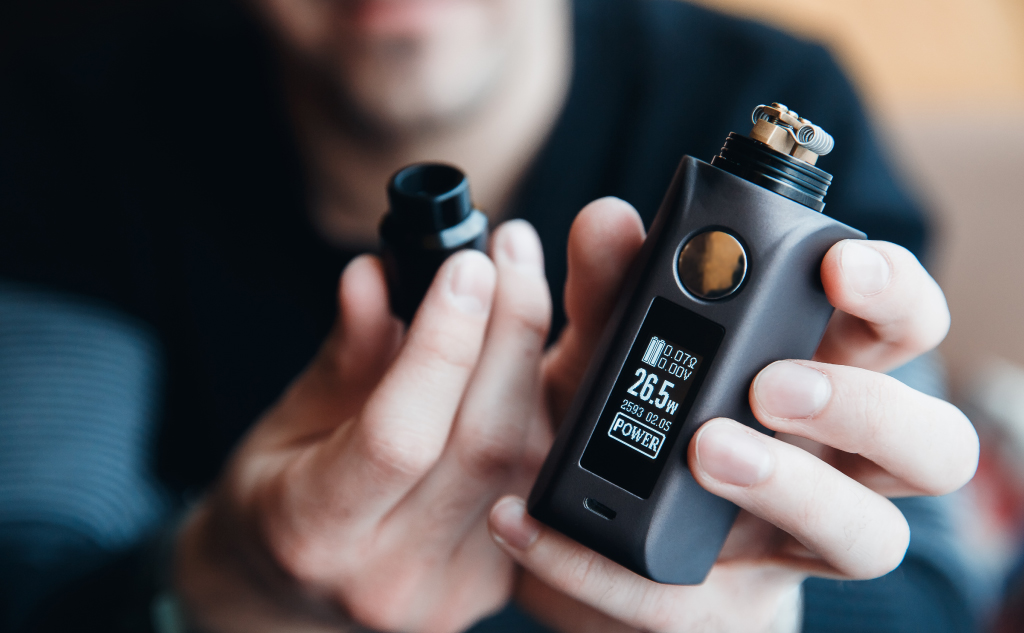
Unlike e-cigarettes that you use until they run out, vape mods are made up of parts that you can replace over time. Vape mods have 10 parts which include the drip tip, top lid, glass tube/tank, atomizer/coil, atomizer, housing, bottom base, display screens, power button, function keys, and micro USB port.

Old Texts From Blocked Number: Coming Through?

Old Texts From Blocked Number: Coming Through? (All Info)

Here’s everything about receiving old texts from a formerly blocked number: When you block someone’s number, there’s no special folder where blocked texts from this number go. Those texts go into the digital nirvana. That’s why you won’t receive and can’t get old text messages from a blocked number. So if you want to learn … Read more

Recharging Non-Rechargeable Batteries: What Happens?

Recharging Non-Rechargable Batteries: What Happens? (Don't)

You can recharge an Alkaline battery. But recharging an alkaline battery will produce a gas byproduct, which in turn will create pressure in the battery seal. The seal can burst after a while, which can be very dangerous, even explosive. Don’t recharge non-rechargeable batteries.

Laptop Charger Parts: Names & Functions?

Laptop Charger Parts: Names & Functions? (& Graphic)

Your laptop charger supplies power to your laptop and charges its battery. While laptop chargers are not made equal, there are 6 components that are typically present in an average laptop charger. Those parts include the power plug, transformer, rectifier, filters and regulators, ferrite bead, and charger connector.

Charging Phone Wirelessly & Wired Same Time: Safe?

Charging Phone Wirelessly & Wired Same Time: Safe?

Physically, you may use your wired charger and your wireless charger at the same time. However, your phone only receives energy from one method at a time. There’s no advantage to charging simultaneously unless one method fails, and your phone won’t charge faster than with the charging cord.

iPhone and iPad Take So Long to Turn on After Dying: Why?

iPhone and iPad Take So Long to Turn on After Dying: Why?

Your iPhone or iPad takes so long to turn on after dying because a bunch of safeguards trip when a phone runs out of battery, so-called shutdown and startup cycles. The Safeguard processes take time to ensure there’s no damage to software or information when the battery dies.

Employer Sees Browsing History: In Which Cases?

Employer Sees Browsing History: In Which Cases? (+ Facts)

If you’re using a company computer in the workplace, your employer can see your browsing history. If you’re using a work computer or company network from home, they might see your browsing history. If you’re using your own computer at home, not connected to the company in any way, they can’t see it.

Microwaving Cell Phones: What Happens?

Microwaving Cell Phones: What Happens? (Just Don't Do It)

When you microwave your cell phone, metal absorbs microwave photons, which creates an electric current in the metal, producing tons of heat. Plastics melt, and hazardous chemicals vaporize, so the heat causes damage and makes for a very unsafe experience. Don’t microwave a cell phone.

Charging iPhone, iPad, or MacBook While FaceTime: Bad?

Charging iPhone, iPad, or MacBook While FaceTime? (Bad?)

Here’s whether using FaceTime and charging your Apple device (iPhone, iPad, or MacBook) at the same time is bad: FaceTime is notoriously power-hungry, and it drains the battery on an iPhone, iPad, or MacBook extremely quickly. Additionally, continuous use of the program accelerates the overall deterioration of the battery as well. So if you want … Read more