Discover tech tips and tricks, how-tos, and troubleshooting solutions for your tech. Learn how to keep your computer, laptop, tablet, or phone running smoothly.

Taking Polaroid Picture of Phone or Computer Screen: How to?

Taking Polaroid Picture of Phone or Computer Screen: How to?

The key to a good Polaroid of a phone or computer screen is to control the lighting. Soft lighting is very important, and you want to consider a lower shutter speed to get better image quality. Alternatively, you can use a Polaroid printer or third-party service to directly print a Polaroid of a digital image.

Using Phone SIM Card in Mobile Router: Can You?

Using Phone SIM Card in Mobile Router: Can You? (+ How to)

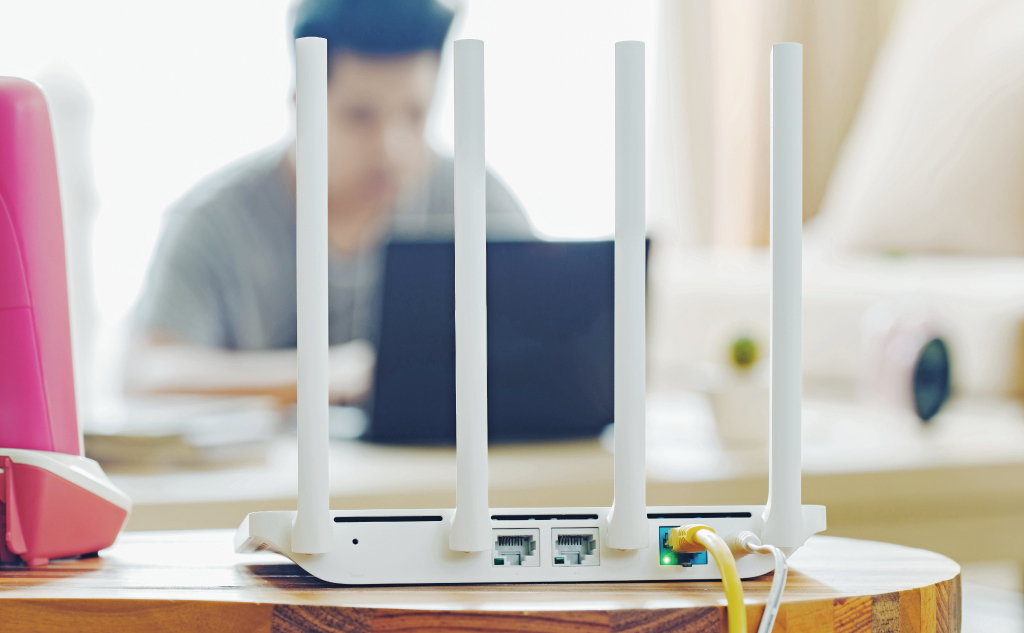
For the most part, yes. The SIM cards used in phones and mobile routers are physically and functionally identical. The mobile router will be able to read the SIM card just fine and use it, but that doesn’t mean that your phone plan is well-suited for mobile router applications.

Snapchat Camera Quality: How to Improve It?

Snapchat Camera Quality: How to Improve? (Android & iPhone)

Here’s how to improve Snapchat’s camera quality for Android phones and iPhones: The app might be malfunctioning, so you can troubleshoot it directly by restarting the app, restarting the phone, and running any updates. It’s possible that Snapchat is not optimized for your specific model of phone.  In that case, you can simply take the … Read more

Deleting Number From Someone Else’s Phone: How to?

Deleting Number From Someone Else's Phone: How to? (Block)

To remove a number, go to your contact on the phone and select the option to delete the contact. This will remove your number from the phone, and shy of any backups, is a permanent deletion of your number. If you can’t access the phone, you can block the other person’s number or explore other alternative actions.

Charging Kindle With Phone Charger: How to?

Charging Kindle With Cell Phone Charger: How to? (+ Other)

If you can find a phone charger with a micro USB connection, simply plug it into the Kindle and the wall. If your phone uses a different connector, you can use an adapter or a micro USB cable. Either will allow the Kindle to plug into the wall charger for your phone, and it will work.

Network Blocked Phone: How to Unlock?

Network Blocked Phone: How to Unlock? (+ Blacklisted?)

Here’s how to unlock a network blocked phone: The easiest way to unlock a network-blocked phone is to contact the carrier and have them do it.  Carriers might resist this request, in which case you will need to generate an unlock code for the phone. There are third parties that help with this, and they … Read more

Cannot Retrieve Tweets at This Time on Twitter: How to Fix?

Twitter Cannot Retrieve Tweets at This Time: How to Fix?

Here’s how to fix Twitter’s error “Twitter Cannot Retrieve Tweets at This Time”: Check every part of the phone that can inhibit the Twitter app’s ability to connect to the internet, and make sure Twitter has permission to operate normally. This can include security software like firewalls and ad blockers. It can also include app … Read more

Deleting an iMessage From Both Sides: How To?

Deleting an iMessage From Both Sides: How To? (All Info)

Here’s how to delete an iMessage from both sides: The only way to delete an iMessage from both sides is to have direct access to both iMessage accounts.  In that case, you need to go through the process of deleting the message on a device connected to each account. When that is done, the iMessage … Read more

Router Lights Are All Green: No Internet?

Here’s why you don’t have internet but all the router lights are green and how to fix it: When this happens, the issue is usually not with the router, but you want to do thorough troubleshooting in order to be sure.  The best way to solve this problem is to isolate the source of the … Read more

Android Phone Pausing Music & Video: How to Fix?

Android Phone Pausing Music & Video: How to Fix? (All Info)

Here’s why your Android phone keeps pausing music and videos and how to fix it: Most of the time, video or music will pause because your internet connection is too slow for the stream.  Other sources of pausing can come from splitting phone resources across too many apps, software issues, hardware issues, and having an … Read more

Hacking Phone’s GPS: How to?

Hacking Phone's GPS: Can You and How to? (Android & iPhone)

Here’s whether you can hack a phone’s GPS and how to: Technically, the answer is yes, not really as long as you don’t have full access to the phone. More specifically, the GPS location for an Android phone can be spoofed to mask the device’s location. Even then, it’s hard to do without some assistance … Read more

Getting Old Phone Number Back: How to?

Getting Old Phone Number Back: How to?

Phone companies and carriers own phone numbers. They are in charge of deactivating and reactivating them, along with recycling them. If you have an old phone number that you want back, contact your carrier. If your carrier can’t help, you might have to negotiate with the new person who has your old number.

Unblocking Phone From Wi-Fi Network: How to?

Unblocking Phone From Wi-Fi Network: How to? (2 Ways)

If your phone is being deliberately blocked from a Wi-Fi network, there are three primary ways around it. You can change your phone’s MAC address, you can spoof your phone’s MAC address, and you can also unblock your phone on the Wi-Fi router or ask the Wi-Fi router responsible to unblock you.

Using One SIM Card With Two Phones: How to?

Using One SIM Card With Two Phones: How to? (+ Vital Facts)

One SIM card cannot be used with two phones at once because it’s obviously physically impossible for one SIM to be in two devices. Even though it’s not a physical card, it’s not possible with an eSIM either. Nonetheless, you can usually use one SIM card with two phones by swapping the SIM card between them.

Snapchat Airplane Mode Trick: Secretly View Snaps?

Snapchat & Airplane Mode: Secretly Viewing Snaps? (2 Tricks)

If you turn airplane mode on, the other person won’t know you saw their snap. As soon as you turn off your airplane mode, the other person will be notified that the snap has been opened. However, you can trick Snapchat with airplane mode into not letting the other person know that you have opened their snap.

Using Phone Mic With Headphones/Earbuds: How To?

Using Phone Mic With Headphones/Earbuds: How To?

Using your phone’s built-in microphone with earbuds or headphones requires you to disconnect the phone from the microphone. If your headphones don’t include a microphone, this is already done. If they include a microphone, you can use software, apps, and a few techniques to disable the microphone and proceed.