Phone Charger Gets Wet: What to Do?

Phone Charger Gets Wet: What to Do? (Don't Do This)
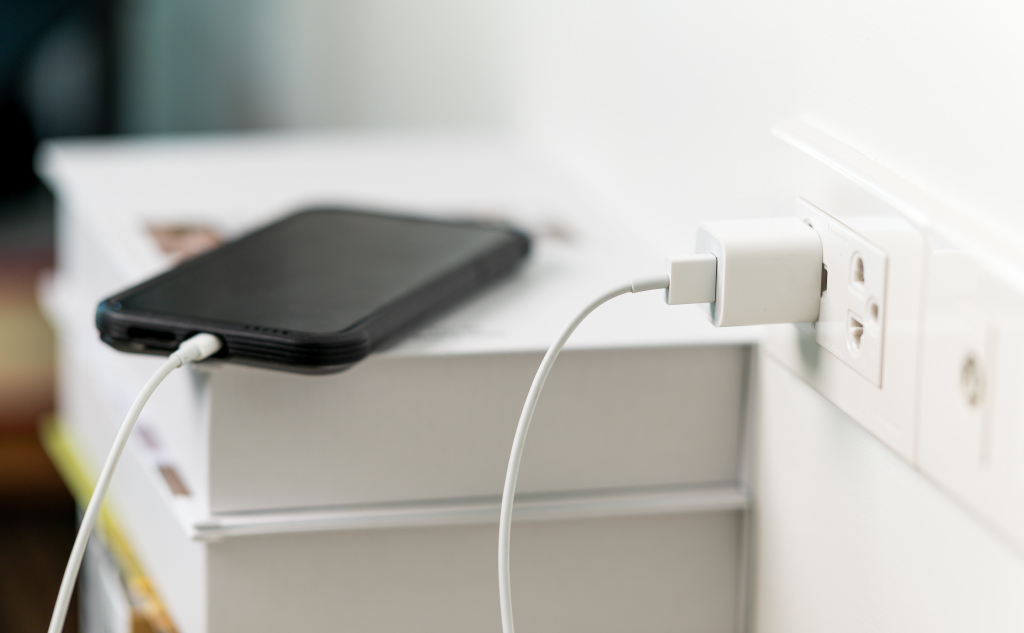
If your charger gets wet, the first thing you want to do is unplug everything and remove all sources of power. Once there is no power, try to dry the device as best you can. After that, you still need to let it air dry for at least 48 hours before you test the charger to see if it still works.


Spelling Out Phone Number on Craigslist: Why?

Spelling Out Phone Number on Craigslist: Why? (Do This)

This is mostly done to get around software that is looking at phone numbers on the website.
Craigslist sometimes uses software that blocks or removes phone numbers from listings for a variety of reasons. There are also third-party bots that crawl the site looking for phone numbers and contact information.

Leaving Phone Flashlight On: Bad?

Leaving Phone Flashlight On: Bad? (It's Safe)

In general, leaving the flashlight on, even for hours at a time, will not harm the flashlight itself or the phone. The flashlight can slowly contribute to battery drain, so if you have to do it for a long time, plug in the phone. In the long run, the flashlight will not cause any serious harm to the phone.

Omegle on Phone: How to Use?

Omegle on Phone: How to Use? (+ 9 Alternatives)

Omegle does not have an up-to-date app that is designed for Android or iOS phones. In order to use it, you have to implement a workaround that takes advantage of the original Omegle web app. For this, you need to install a browser on the phone that is known to work, or you can try an alternative app.

Website Works on Phone, Not on Computer: How to Fix?

Website Works on Phone, Not on Computer: How to Fix?

Most of the time, it’s because of an issue that is local to the computer, such as not having internet access. There are specific differences between using a phone and a computer that could cause a website to only load on one device. It can come down to the site’s design, your browser, and how the device connects.

FaceTime: Calls Automatically End?

Facetime: Calls Automatically End? (8 Reasons)

Here’s everything about FaceTime calls ending automatically after a certain time: The short answer is no. FaceTime is designed to support indefinite call times, and countless users have reported maintaining calls for many hours at a time.  There are a large number of ways a call can end, including when the screen goes dark, but … Read more

Someone Hangs Up on You: What to Do?

Someone Hangs up on You: What Should You Do? (Don't Do This)

Here’s what you should do when someone hangs upon you: Call them back if you think the disconnect was unintentional. If you are confident that they hung up on you on purpose, you will have to gauge whether or not a fast redial would be productive.  If not, you can consider sending a text or … Read more

Laptop/Computer Restart: How Long Does It Take on Average?

Laptop/Computer Restart: How Long Does It Take on Average?

Here’s how long it takes to restart a laptop or computer on average: A true average is hard to define because computers are so varied in their performance.  Your software, hardware, computer age, and more can all make restart times slower or faster, comparatively.  A new, high-end computer can usually restart in under a minute, … Read more

Spilled Water On Laptop: Won’t Turn On?

Spilled Water On Laptop: Won't Turn On? (+ How to Fix It)

Here’s what to do if you spilled water on your laptop, and it won’t turn on: If you spill water on a laptop, and then it won’t turn on, you can safely assume that the laptop is damaged. The parts need to be diagnosed individually to determine what needs replacing in order to fix the … Read more

Cell Phone Lines Getting Crossed: Possible?

Cell Phone Lines Getting Crossed: Possible? (How to Prevent)

Yes, cell phone lines can get crossed even in the modern era. With modern, digital lines, you will not randomly hear different conversations while you maintain one connection. Instead, you can get randomly connected to the wrong person entirely, leading to a single wrong conversation instead of a mix of conversations.

Taking Polaroid Picture of Phone or Computer Screen: How to?

Taking Polaroid Picture of Phone or Computer Screen: How to?

The key to a good Polaroid of a phone or computer screen is to control the lighting. Soft lighting is very important, and you want to consider a lower shutter speed to get better image quality. Alternatively, you can use a Polaroid printer or third-party service to directly print a Polaroid of a digital image.

Using Phone SIM Card in Mobile Router: Can You?

Using Phone SIM Card in Mobile Router: Can You? (+ How to)

For the most part, yes. The SIM cards used in phones and mobile routers are physically and functionally identical. The mobile router will be able to read the SIM card just fine and use it, but that doesn’t mean that your phone plan is well-suited for mobile router applications.

Thinkpad Red Button on Laptop Keyboard: What Function?

Small Red Button Laptop Keyboard Middle: What For? (Its Use)

The red button is a mouse controller that is commonly used on laptops to save space on the keyboard part of the layout. Formally called a TrackPoint, this device allows you to fully control a mouse without the need for a trackpad. It was more popular in the past, but new laptops still utilize the feature.

Looking Fatter in Pictures Than in Mirrors: Why?

Looking Fatter in Pictures Than in Mirrors: Why? (Facts)

There are two reasons you might look fatter in a picture than in a mirror. The first is that cameras can distort images and make you look strange in the picture. The second is that seeing yourself in a photograph can induce a different psychological reaction as compared to seeing yourself in a mirror.

Phone Repair Shops: Needing Password?

Phone Repair Shops Need Your Password? (It Depends)

For the most part, phone repair shops do need your password. It is necessary to access the general functions of the phone, which is necessary to run tests, diagnose problems, perform repairs and test the repairs. There are some instances where the password is not needed, but they come up infrequently.

Snapchat Camera Quality: How to Improve It?

Snapchat Camera Quality: How to Improve? (Android & iPhone)

Here’s how to improve Snapchat’s camera quality for Android phones and iPhones: The app might be malfunctioning, so you can troubleshoot it directly by restarting the app, restarting the phone, and running any updates. It’s possible that Snapchat is not optimized for your specific model of phone.  In that case, you can simply take the … Read more