Discover tech tips and tricks, how-tos, and troubleshooting solutions for your tech. Learn how to keep your computer, laptop, tablet, or phone running smoothly.

How to Connect to Wi-Fi Without a SIM Card?
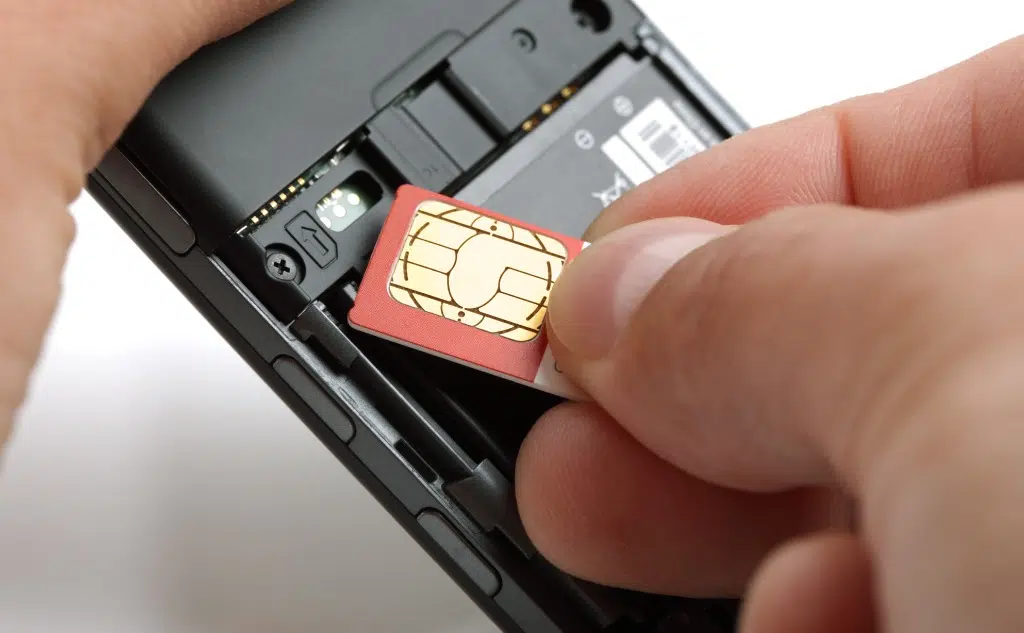
How to Connect to Wi-Fi Without a SIM Card?

Here’s how to connect to Wi-Fi without a SIM card. The short answer: Just like you would with a SIM card. So if you want to learn all about connecting your phone to Wi-Fi without a SIM card and the technical details, then you’re in the right place. Let’s get right into it! Connect Your … Read more


How to Connect Landline Phone to PC for Internet

How to Connect Landline Phone to PC for Internet

This is how to connect a landline phone to a PC for internet. You’ll learn: The technical details The options you have So if you want to learn how to connect your landline phone to a PC, then you’re in the right place. It’s time for the first step! Connect Your Landline Phone to PC … Read more

How to Slow Down the Internet for Other Users?

How to Slow Down Internet for Other Users? (+ Vital Facts)

This is how to slow down the internet for other users. Someone in your house is blocking the internet? Slow his internet down. So if you want to slow down the internet for others, then you’re in the right place. Let’s jump right in! How You can make the internet slower for other users Let’s … Read more

Do You Need Internet to Install Windows 10?

Do You Need Internet to Install Windows 10?

This is whether you need internet to install Windows 10. The short answer is no. If you want to know how to install Windows 10 without the internet, then you’re in the right place. Let’s get started! How To Install Windows 10 Without an Internet Connection Windows is an operating system that lets our laptops … Read more

How to Limit the Wi-Fi Speed Of Certain Devices?

How to Limit the Wi-Fi Speed Of Certain Devices?

This is how to limit the Wi-Fi speed of certain devices. Is your little brother watching cat videos all day long and slowing down the internet? If you want to know how to slow down certain devices, then you’re in the right place. Let’s dive right in! How to Limit the Wi-Fi Speed Of Certain … Read more

Internet Drops Every Hour or So?

Internet Drops Every Hour or So? (+ How to Fix It)

This is about why the internet goes down. Does your internet drop periodically? If you want to learn why your internet drops and how to fix it, then you’re in the right place. Let’s get started! Why Your Internet Drops and How to Fix It The internet has become so entrenched in our everyday lives … Read more

Wall Ethernet Port Is Not Working: How to Fix?

Wall Ethernet Port Is Not Working: Why? (+ How to Fix It)

Here’s why your wall Ethernet port does not work and how to fix it: There are a gazillion reasons why your wall Ethernet port might not work. However, here are the 4 troubleshooting solutions that cover most issues: Basic troubleshooting Problems with the patch panel Problems with the cable Problems with the wiring So if … Read more

Ethernet Cables Affecting Internet Speed: True?

Can an Ethernet Cable Affect Internet Speed? (+ Vital Facts)

Here’s whether Ethernet cables affect internet speed: Your Ethernet cable won’t change the speed defined by your internet plan. Your speeds are dictated by your plan, not your cable. There won’t be any speed benefit with a different Ethernet cable unless yours is broken. Your Ethernet connection will usually be faster and much more stable … Read more

Upload Speed Faster Than Download Speed?

Upload Speed Faster Than Download Speed? (+ How to Fix It)

Here’s why your upload speed can be faster than your download speed and how to fix it: Providers offer 50/50 or 100/100 connections, which means an identical download and upload speed. Since networks can be congested, the results might be different in practice. Despite that, you might be experiencing an issue with your PC, router, … Read more

Someone Copied Files From USB: How to Know?

How to Know if Someone Copied Files From Your USB ?

Here’s how to tell if someone copied files from your USB flash drive to their computer: It’s possible to check the last time a file was accessed, and the time stamp would tell you when someone copied it. However, it depends on what file system your USB drive uses: FAT or NTFS. Unortunately, FAT systems don’t … Read more

HackerRank vs. LeetCode: Which Is Better?

HackerRank Vs. LeetCode: Which Is Better? (+ Vital Facts)

This is about HakerRank vs. LeetCode. HackerRank and LeetCode are places where programmers are solving problems, and companies want to hire. Learn the differences bettween HackerRank and LeetCode and which one is better. Let’s get started! HackerRank Vs. LeetCode: Which Is Better? HackerRank and LeetCode are popular online competitive programming platforms for software engineers who … Read more

How To Know Whether a Router Is Dual-Band?

How To Know Whether a Router Is Dual-Band? (+ Vital Facts)

This is about how to tell whether your router is a dual-band. There are single-band, dual-band, and tri-band routers. If you want to figure out what kind of router you have, then this article is for you. Let’s jump right in! How Can You Tell Whether Your Router Is a Dual Band? Today, home internet … Read more

How To Turn 5ghz WiFi To 2.4ghz? Quick and Easy Solutions

How to Convert a 5 GHz Wi-Fi Signal to a 2.4 GHz One?

Struggling with connectivity issues and wondering how to turn 5ghz WiFi to 2.4ghz? Or perhaps you’re trying to figure out how to connect a 2.4 GHz device to 5GHz WiFi? You’re not alone, and you’ve landed in the right place! Whether you’re looking to split WiFi into 2.4 and 5 or seeking a 5ghz to … Read more

Wi-Fi Exclamation Mark: How to Fix?

Wi-Fi Exclamation Mark: How to Fix It? (+ Vital Facts)

Here’s why there’s an exclamation mark on your Wi-Fi symbol and how to fix it: The Wi-Fi exclamation mark stands for no internet. You can fix that by: Turn your device’s Wi-Fi off and back On Reboot your router Reset your router Check your network settings Update your router’s drivers Check for network outages Pay … Read more

Download Speed Fluctuates: Why Is That So?

Why Does Your Download Speed Fluctuate? (+ How to Fix It)

Here’s why your download speed fluctuates: If you are using an Ethernet connection, it might be your hardware. It could also be caused by your software, a virus, or network congestion.  If you are using a Wi-Fi connection, it could be any of the above issues, or something else entirely, such as the number of … Read more

Phone Rings and then Busy Signal: Meaning?

Why Does the Phone Rings and then I Hear A Busy Signal?

Here’s the meaning of when a phone rings and then you hear a busy signal: Call waiting Voicemail Blocked number Account issues Hardware or software problem Out of range Network congestion If you want to learn all about the reasons for when a phone ring and then a busy signal, then this article is for … Read more